Don’t Let Your Digital Ecosystem Collapse: the Intentional Guide on How to Back Up a Computer Properly

I was elbow-deep in a patch of wild ramps yesterday, enjoying the crisp morning air, when a sudden, sinking thought hit me: did I actually secure my project files before I left the house? It’s that familiar, gut-wrenching knot in your stomach. We spend so much time nurturing our physical environments—tending to our windowsill herbs or repurposing old glass jars—that we often neglect the digital ecosystems that hold our lives together. Most people think they’re safe because they use a single cloud service, but relying on just one method is like planting a garden in a single pot and hoping a storm won’t tip it over. Learning how to back up a computer properly shouldn’t feel like a high-stakes engineering project; it should be a simple, intentional habit that gives you peace of mind.
Once you’ve got your hardware and your cloud strategy sorted, the next step is staying consistent with the upkeep, much like making sure your indoor plants get just the right amount of sunlight. It can feel a bit overwhelming to manage everything solo, so I always find it helpful to lean on others who are navigating these same modern complexities. I’ve spent a lot of time lately browsing through the CasualMichigan community, and it’s a fantastic place to find practical, real-world advice from people who are actually doing the work. Tapping into a group like that can turn a daunting technical chore into a shared journey of intentionality, making sure your digital ecosystem stays as healthy and resilient as a well-tended garden.
I’m not here to sell you on expensive, bloated software subscriptions or overly complex enterprise solutions that nobody actually needs. Instead, I want to share a practical, low-impact approach to digital stewardship that fits right into a busy urban lifestyle. I’ll walk you through a streamlined strategy rooted in the “rule of three,” ensuring your precious photos and vital documents are resilient and recoverable without wasting your time or energy. Let’s get your digital world as secure and sustainable as your home.
Cultivating Resilience With the 3 2 1 Backup Rule Explained
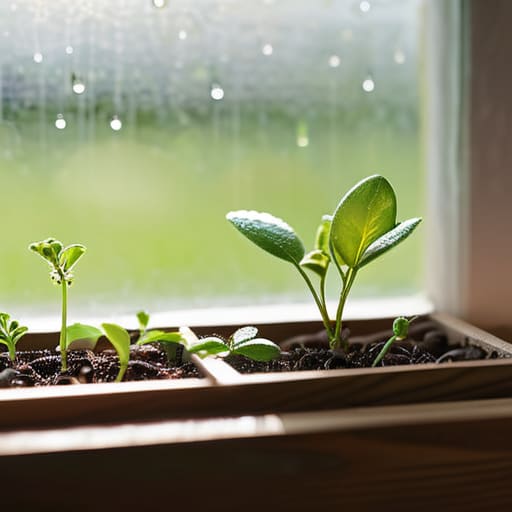
Think of your digital files like a delicate heirloom seedling you’ve just transplanted into a window box. You wouldn’t just leave it sitting on a concrete ledge without any protection, right? You’d want a bit of a buffer against the elements. In the digital world, the 3-2-1 backup rule explained is essentially your blueprint for building that same kind of resilience. The concept is beautifully simple: keep three total copies of your data, stored on two different types of media, with one of those copies kept off-site. It’s about creating layers of defense so that if one “environment” fails, your digital life doesn’t wither away with it.
When you’re deciding between cloud storage vs external hard drive options, I like to view them as different types of soil. An external drive is like your rich, local compost—it’s fast, physical, and right there in your hands. The cloud, however, is like a distant, nutrient-dense forest; it’s remote and safe from local “storms” like a house fire or a spilled cup of coffee. By combining both, you aren’t just saving files; you’re practicing true disaster recovery planning for individuals, ensuring your memories and work remain evergreen no matter what happens to your hardware.
Choosing Your Seeds Cloud Storage vs External Hard Drive
When you’re deciding between cloud storage vs external hard drive options, I like to think of it much like choosing between a community garden and a private windowsill herb box. An external hard drive is like that windowsill garden; it’s right there in your hands, you have total control over it, and it doesn’t require an internet connection to access. It’s a fantastic, tangible way to keep a physical copy of your most precious memories. However, just like a sudden frost can hit a windowsill plant, a single hardware failure or a spilled cup of coffee can wipe out your data if you aren’t careful.
On the other hand, cloud storage is more like participating in a large, resilient community garden. Your data is spread out across vast, professional networks, making it a powerhouse for protecting files from ransomware or physical damage at home. The real magic, though, lies in the convenience of automated data backup solutions. Much like how a well-tended ecosystem thrives on consistent, natural cycles, having your files sync automatically to the cloud ensures that your digital life grows and stays protected without you having to remember to “water” it every single day.
Tending Your Digital Garden: 5 Habits for a Resilient System
- Automate your routine just like I set my indoor herb planters to self-water; set your backup software to run on a schedule so you aren’t manually scrambling every time a deadline looms.
- Test your “soil” regularly by performing occasional test restores, because a backup is only as good as its ability to actually bring your files back to life when the storm hits.
- Practice the art of digital pruning by only backing up what truly matters, saving precious storage space and making your recovery process much faster and less cluttered.
- Secure your digital perimeter with encryption, treating your sensitive data like a rare heirloom seed collection that needs a sturdy, locked container to keep it safe from prying eyes.
- Diversify your storage locations to avoid a single point of failure, ensuring that even if a local hardware mishap occurs, your digital life is still thriving safely in the cloud.
Planting the Seeds of Digital Security
Taking control of your digital footprint might feel a bit daunting at first, much like trying to start a compost pile in a tiny apartment balcony garden. But once you’ve broken it down, it’s really just about consistency. By embracing the 3-2-1 rule and carefully deciding whether to plant your data in the cloud or keep it tucked away on a physical external drive, you’re building a foundation of resilience. It isn’t about being perfect or having the most expensive tech setup; it’s about making those intentional, small steps today so that you aren’t left scrambling when a hardware failure or a digital storm inevitably hits.
At the end of the day, whether we are repurposing old glass jars for herb planters or setting up automated backups, we are all just trying to cultivate a sense of stewardship over what we value. Your digital life—your photos, your projects, your memories—is a vital part of your personal ecosystem. Don’t let it wither away due to neglect. Treat your data with the same care and mindfulness you’d give to a budding sapling in a community garden. If you start building these habits now, you’ll find that living a more sustainable, secure, and peaceful digital life is well within your reach.
